

AI Lesson Planning for Teachers in 2026: What Works, What Doesn’t, and the Guardrails Schools Want
A practical, non-hype guide to AI lesson planning for teachers in 2026—what to automate, what to keep human, a repeatable workflow, and the guardrails

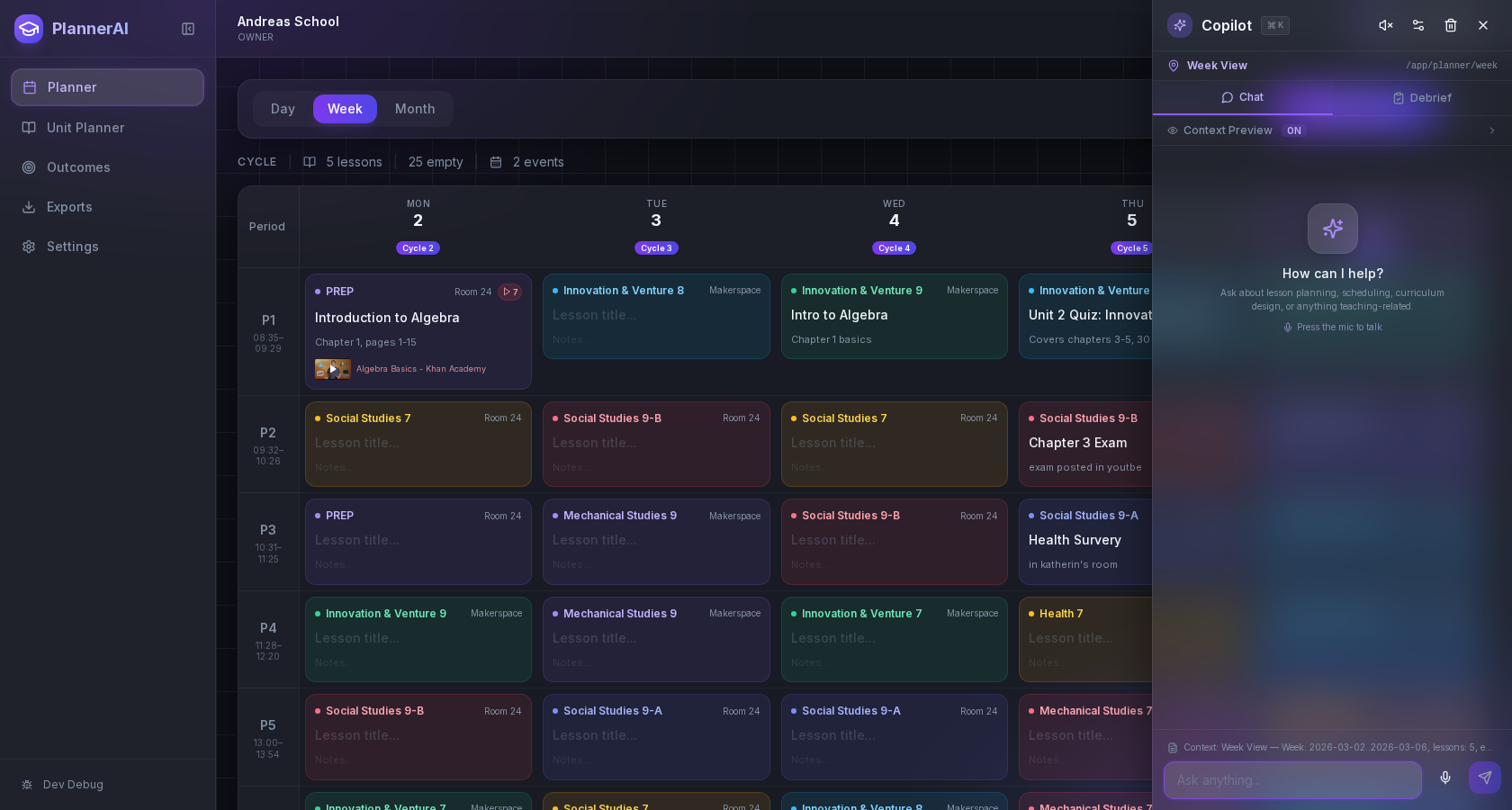
Teachers don’t need another hype piece about artificial intelligence. You need a trustworthy way to use AI that saves time, fits your curriculum, and respects your professional judgment. This guide walks through what’s working right now for AI lesson planning for teachers, where it often goes wrong, and the guardrails districts increasingly expect.
Why AI lesson planning is becoming normal in schools
K-12 AI went from novelty to routine workflow in the last two school years. Districts expanded professional learning on AI, and more teachers now report using AI to brainstorm activities, differentiate texts, or draft communications. Yet adoption is uneven and confidence varies by campus and role. Education Week’s 2024–2026 national surveys show steady growth in teacher PD on AI—but with wide variation in depth and quality, and persistent calls for clearer local guidance. More Schools Are Providing AI Training for Teachers. Is It Any Good? (edweek.org)
At the same time, UNESCO released a global AI competency framework for teachers, last updated January 16, 2026, which districts are starting to reference when shaping expectations for training and responsible use. The framework identifies five competency areas—human-centered mindset, ethics, AI foundations and applications, AI pedagogy, and AI for professional learning—organized across Acquire, Deepen, and Create progression levels. AI competency framework for teachers (UNESCO). (unesco.org)
For classroom reality, that all distills to a simple truth: AI helps most when it reduces cognitive load on drafting and differentiation, and when leaders set clear boundaries so teachers know what’s encouraged, what requires human review, and what’s off-limits. Research on teacher well-being in 2026 echoes this—confidence using AI for instructional purposes correlates with feeling more capable in core teaching tasks, which in turn relates to lower perceived workload and anxiety. We Studied How AI Shapes Teachers’ Well-Being. Here’s What We Found. (edweek.org)
What teachers actually want AI to handle vs. what they still want to control
Based on hundreds of conversations with K-12 teams—and aligned with UNESCO’s emphasis on human agency—here’s a practical split of labor between AI and expert teacher judgment.
Let AI draft, summarize, or adapt when:
- You’re brainstorming lesson hooks, essential questions, and exit tickets.
- You need leveled texts, word banks, or alternative formats (e.g., cloze, multiple choice) for practice.
- You’re converting the same content across modalities (slide summary to handout, lab to station cards).
- You want first-draft rubrics or parent emails you’ll later personalize.
- You’re generating item banks aligned to already-chosen objectives and success criteria.
Keep teacher control and voice for:
- Standards and outcome selection, pacing, and sequencing across a unit.
- Validity of assessments and how evidence of learning will be collected.
- Scaffolds and accommodations for specific IEP/504/ML needs.
- Sensitive communications, grading judgments, and feedback tone.
- Final review for bias, developmental appropriateness, and local policy compliance.
The result is a partnership model: AI drafts fast; teachers decide what’s fit to teach.
A simple AI-assisted planning workflow: idea capture, draft, refine, align
Below is a repeatable, 4-step planning loop you can run weekly or for a new unit. It’s designed to be tool-agnostic but maps cleanly to Classroom Radar.
Step 1: Capture the idea (fast)
- Goal: Get the core of the lesson out of your head—in your voice—before the day gets busy.
- Inputs: Unit context, today’s objective, required materials, time box.
- Helpful prompt scaffold: “I’m teaching [topic] to [grade/course] with [time available]. Today’s objective is [objective]. Students struggled last time with [misconception]. Draft three ways to start strong, then propose a 25–30 minute core activity and a 5-minute exit ticket.”
- Where Radar helps: Use Voice Planning to dictate a rough outline during hall duty or your commute; the transcript becomes editable text you can refine later. Voice planning
Step 2: Generate a first draft (no over-polishing)
- Goal: Produce a workable sequence quickly—warm-up, input, active practice, check for understanding.
- Inputs: Your captured idea, the objective, class profile (ELLs, reading levels), available materials.
- Prompts that work: “Draft a 45-minute lesson on [objective] using [strategy] with checks for understanding every 10 minutes. Include opportunities for talk moves and retrieval practice.”
- Where Radar helps: Start in the AI copilot to draft the skeleton, then drag time blocks where they fit in your day. See the whole week to avoid overstuffing one class period.
Step 3: Refine for learners you know
- Goal: Personalize directions, pacing, and scaffolds for your actual students.
- Techniques:
- Replace generic directions with your classroom language and routines.
- Add sentence frames, visuals, or manipulatives your students respond to.
- Ask AI to produce two leveled versions of instructions or texts (e.g., Lexile bands, bilingual glossaries), then you choose.
- Where Radar helps: Use the Activity Builder to spin up printable practice, exit tickets, and station cards from your draft, then tweak phrasing to match your voice. Activity Builder
Step 4: Align and sanity-check
- Goal: Ensure the draft actually teaches what it claims—and that assessments match the objective.
- Techniques:
- Map each activity to a standard or learning outcome; cut any that don’t serve evidence of learning.
- Check that the exit ticket measures the exact skill in the objective.
- Add accommodations tied to IEP goals (human judgment here—not an AI guess).
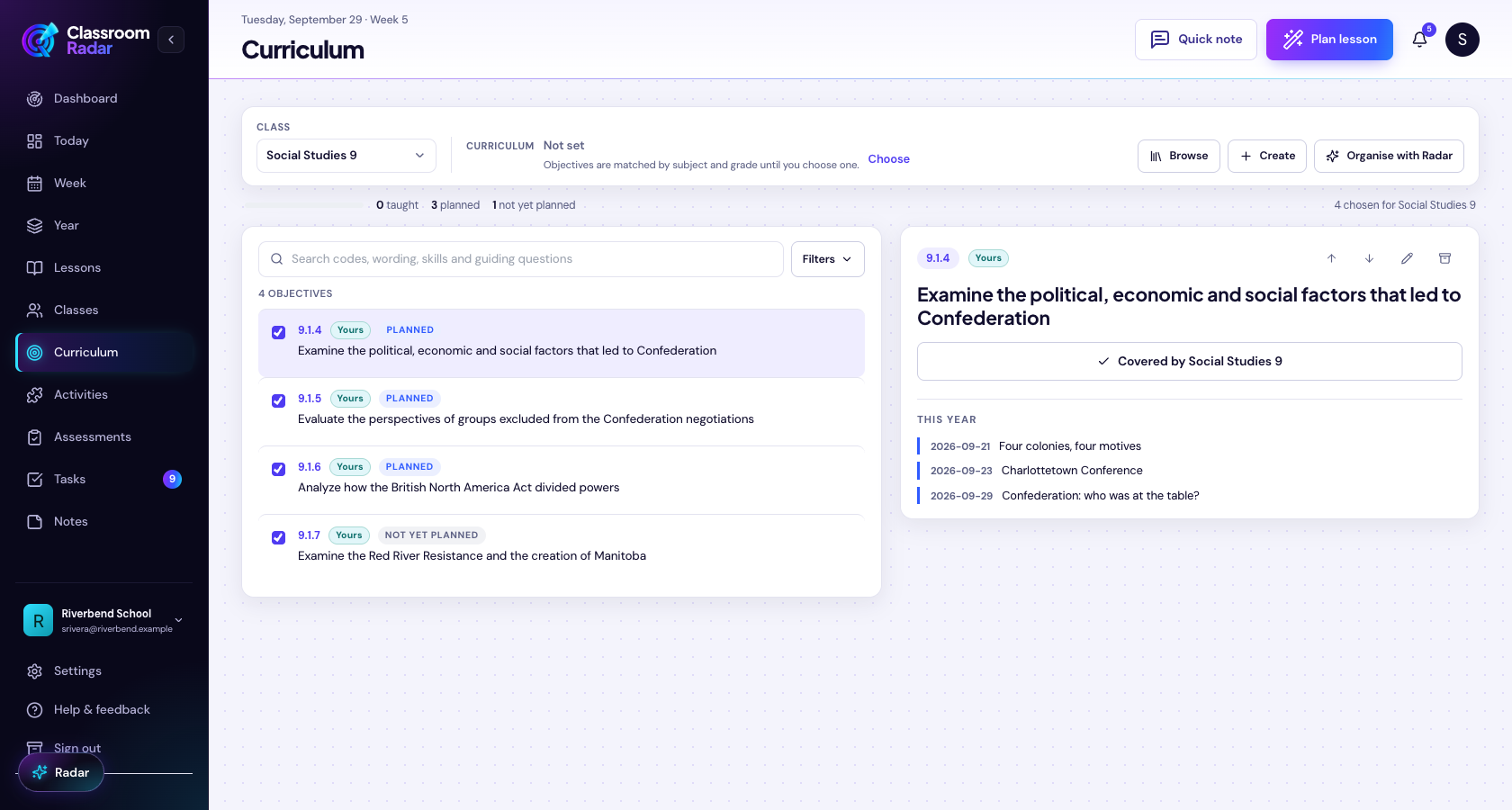
- Where Radar helps: Use the Week Planner and Outcomes views to confirm coverage and avoid accidental gaps before you hit print or publish. Features overview
Common mistakes (and what to do instead)
Mistake 1: Accepting generic outputs that won’t land with your students
- Why it happens: Vague prompts (“Make a lesson on fractions”) yield vague plans.
- Fix it: Feed concrete constraints—objective, time, materials, and known hurdles. Add “Use my classroom tone: concise, stepwise, student-facing.”
- Quick check: If a student couldn’t follow your directions independently, rewrite.
Mistake 2: Weak objective–assessment alignment
- Why it happens: AI can produce attractive activities that drift from the intended skill.
- Fix it: After drafting, list the objective verb (“analyze,” “justify”). Ask: “Does my exit ticket require that verb?” Adjust until it does.
Mistake 3: Over-automation (AI decides the pedagogy)
- Why it happens: It’s tempting to keep whatever the model suggests.
- Fix it: Decide the strategy first (e.g., stations, jigsaw, mini-lesson + practice). Use AI to generate materials for your chosen approach, not to pick the approach.
Mistake 4: Ignoring guardrails and local policy
- Why it matters: Using AI with student work, assessment decisions, or communications can raise ethical and compliance issues.
- Fix it: Follow your district’s allowed uses and always keep a human in the loop for grading, accommodations, and sensitive data. UNESCO’s framework centers teacher agency and ethics for exactly this reason. AI competency framework for teachers (UNESCO). (unesco.org)
Mistake 5: Treating PD as one-and-done
- Why it matters: Teacher confidence builds with repeated practice tied to actual classroom tasks—not a single workshop.
- Fix it: Advocate for iterative PD tied to planning cycles. 2026 research links teacher AI confidence to lower perceived workload via better engagement efficacy—confidence grows with supported practice, not slogans. We Studied How AI Shapes Teachers’ Well-Being. Here’s What We Found. (edweek.org)
What schools mean by “guardrails” (and sample language you can adapt)
Leaders aren’t asking teachers to use AI recklessly; they want clarity about purpose, boundaries, and credit. If your campus is drafting guidance, consider these categories—grounded in UNESCO’s competencies and district norms.
- Purpose and scope
- Encouraged uses: planning support (brainstorming, differentiating texts), drafting non-sensitive communications, generating practice items aligned to teacher-selected outcomes.
- Prohibited uses: uploading personally identifiable student data, outsourcing grading or IEP decisions, generating final grades, or delegating safety-critical decisions.
- Human-in-the-loop: Teachers remain the final reviewers of instructional materials and assessments.
- Data and privacy
- Use only tools approved by the district; avoid entering student names or identifiers.
- Prefer local or education-specific tools with clear data handling practices when available.
- Academic integrity and attribution
- Students must disclose when AI is used and how; teachers model the same in their materials.
- Design assessments that value process and reasoning, not just polished answers.
- Equity and accessibility
- Require checks for bias and accessibility (readability, language support, alternative formats).
- Ensure accommodations are teacher-authored and student-specific.
- Professional learning
- Provide iterative PD on AI pedagogy and ethics aligned to a competency progression (Acquire → Deepen → Create). UNESCO AI competency framework PDF. (unesdoc.unesco.org)
A lightweight, week-to-week AI planning routine you can copy
Here’s a concrete weekly routine many teachers use to keep AI helpful without letting it take over:
- Friday (10 minutes): Voice-capture next week’s objectives and must-cover items. Tag one “linchpin” lesson that drives the week’s understanding. Voice planning
- Sunday or prep block (20–25 minutes): Use AI to draft the skeleton for the linchpin lesson plus a simple exit ticket. Generate two leveled versions of any key text or problem set.
- Monday–Thursday (5 minutes daily): Micro-edit directions after first period based on what didn’t land; regenerate a support card or sample solution if needed.
- Thursday (10 minutes): Map outcomes covered; note any gaps to address next week. Features overview
How to keep AI useful without losing teacher judgment or voice
- Start with outcomes, not activities. Choose the standard and success criteria first; then ask AI to produce only materials that serve those.
- Use constraint-rich prompts. Include time, materials, groupings, and a named strategy (“gallery walk,” “structured discussion,” “worked example + retrieval”).
- Require an evidence check. Before you print, mark exactly where evidence of learning appears.
- Personalize tone last. Replace generic phrasing with your classroom routines and talk moves.
- Document what you keep. When AI suggests three options, note why you chose one. That reflection builds your local playbook and helps with team alignment.
Where Classroom Radar fits (and where it stays out of the way)
Classroom Radar is built to support this partnership model—fast AI where it helps, and obvious space for your expertise where it matters:
- Capture ideas quickly with Voice Planning and convert them into editable outlines you can share or refine. Voice planning
- Draft lessons in minutes, then drag blocks across your week so time and pacing make sense. See conflicts before they happen.
- Generate printable activities and practice with Activity Builder, then personalize directions for your students’ needs. Activity Builder
- Track outcomes coverage and standards alignment at a glance so you can teach with confidence. Features overview
Because it’s designed for teacher agency, Radar does not grade for you, make accommodation decisions, or hide edits. You remain the author of what students see.
Why the right guardrails increase—not reduce—teacher autonomy
It can feel like rules limit creativity. In practice, clear boundaries free you to focus on the craft of teaching. The 2026 well-being research suggests that confidence using AI for instruction is what connects to lower perceived workload—not simply “using AI” in the abstract. Rules that make the “how” and “when” explicit help you reach that confidence faster. We Studied How AI Shapes Teachers’ Well-Being. Here’s What We Found. (edweek.org)
Similarly, UNESCO’s framework centers human agency and ethics as core competencies for teachers in the AI era. Local guardrails that echo those principles—teacher final review, transparent student use, and data minimization—help schools adopt AI without losing trust. AI competency framework for teachers (UNESCO). (unesco.org)
Quick checklist you can take to your next PLC
- Our objective and success criteria are set before any AI drafting.
- Prompts include time, materials, strategy, and likely misconceptions.
- Exit tickets match the verb and specificity of the objective.
- Materials include at least one support for multilingual learners or varied reading levels.
- A human (you or a teammate) reviews for bias, age appropriateness, and policy alignment.
- We record what we kept and why to build a shared playbook.
Further reading and context
- Education Week on the growth and uneven quality of AI PD for teachers (May 18, 2026). More Schools Are Providing AI Training for Teachers. Is It Any Good?. (edweek.org)
- Education Week on AI and teacher well-being (April 24, 2026). We Studied How AI Shapes Teachers’ Well-Being. Here’s What We Found. (edweek.org)
- UNESCO AI competency framework for teachers (last update January 16, 2026). Overview and full PDF. (unesco.org)
CTA: Try this workflow with Classroom Radar this week
- Draft your next lesson in minutes with the AI copilot, then personalize in your voice. Explore the planner and standards views here: Lesson planner for teachers
- If you’re comparing tools or planning a pilot, check transparent options: Pricing
Put This Into Practice with Classroom Radar
If you want to turn these ideas into a repeatable planning system, explore Classroom Radar and the connected tools for lesson planning and planning by voice.

