

AI Differentiation Planning Workflow for Teachers: How to Plan Faster Without Creating 30 Versions of Every Lesson
A practical, classroom-tested workflow for using AI to differentiate from one core lesson—without multiplying your prep. Clear steps, prompts, and

In this article10 sections
# AI Differentiation Planning Workflow for Teachers: How to Plan Faster Without Creating 30 Versions of Every Lesson
If differentiation sometimes feels like writing a new lesson for every student, you’re not alone. The good news: you don’t need 30 versions of anything to meet a wide range of needs. With a clear workflow and a few targeted AI assists, you can adapt one strong lesson into purposeful supports, extensions, and checks for understanding—while protecting your planning time and the integrity of your core objective.
This guide shares a four-step, teacher-first workflow you can use with any subject and grade level. It draws on current, practical frameworks for manageable differentiation from Edutopia and on the Universal Design for Learning (UDL) guidelines from CAST. For deeper reading, see Edutopia’s recent pieces on streamlined differentiation and manageable planning, plus CAST’s UDL Guidelines 3.0 and ISTE’s practical book Differentiation With AI.
- Edutopia: A Streamlined Strategy for Differentiating Instruction
- Edutopia: A Manageable Strategy for Impactful Differentiation
- CAST: UDL Guidelines 3.0
- ISTE: Differentiation With AI (Book)
Why differentiation feels harder in 2026
In 2026, teachers are balancing wider ranges of readiness, more multilingual learners, and increased expectations for inclusive, accessible design. You’re also asked to use data more frequently and to integrate technology without ballooning your workload. Two tensions show up in planning time:
- Differentiation has expanded from “make three levels” to designing options in access, process, and product while keeping one clear learning goal. Recent practitioner pieces emphasize that this can be done with small, targeted moves—not wholesale rewrites of lessons (see Edutopia’s streamlined and manageable approaches above).
- AI makes it easier to generate materials, which is both helpful and overwhelming. The risk is over-creating: too many handouts, too many versions, and too little clarity for students on what actually matters.
If you’ve felt both pressures, you’re the audience for the workflow below.
What AI should—and should not—do in lesson prep
AI should speed up logistics, not replace teacher judgment. Useful tasks include:
- Rewriting one text at two or three reading levels while preserving meaning
- Drafting sentence stems, worked examples, or graphic organizer prompts
- Generating a handful of diagnostic or exit-ticket items aligned to your success criteria
- Proposing extension prompts that increase complexity without changing the goal
- Converting teacher-facing plans into student-facing directions
AI should not:
- Decide your learning goal or success criteria
- Replace your knowledge of students’ interests, identities, and IEP/504 supports
- Introduce inaccessible materials or one-size-fits-all tasks that ignore UDL principles
- Hold student-identifying information in prompts; keep PII out of your inputs, and review AI output for bias and accuracy
For design anchors, CAST’s UDL Guidelines 3.0 emphasize multiple means of engagement, representation, and action/expression—exactly the levers you’ll adapt with AI supports. And Edutopia’s recent articles highlight a manageable path: adapt one or two lesson steps instead of the entire lesson.
A 4-step AI differentiation planning workflow
This workflow turns one core lesson into a small set of purposeful options and checks—without generating a stack of unrelated materials. Each step includes example prompts you can try in any AI assistant and notes on where a tool like Classroom Radar fits naturally.
Step 1: Nail the learning goal and success criteria (keep one target)
- Identify the single, standards-aligned objective for all students. Write student-friendly success criteria (e.g., “I can explain…,” “I can compare…,” “I can solve…”).
- Decide the one core product you’ll accept from everyone (e.g., an explanation, solution set, short analysis, or performance), then layer choices for how students access information and show learning.
- UDL lens: Ensure clarity of goal and options for how to reach it (UDL Guidelines on clarifying goals and optimizing challenge/support).
Prompt you can paste:
- “You are an instructional coach. Given this objective and these success criteria, write a brief teacher-facing lesson overview with a 10-minute mini-lesson, 25-minute work time, and 5-minute exit ticket. Keep the goal constant across all options. Objective: … Success criteria: …”
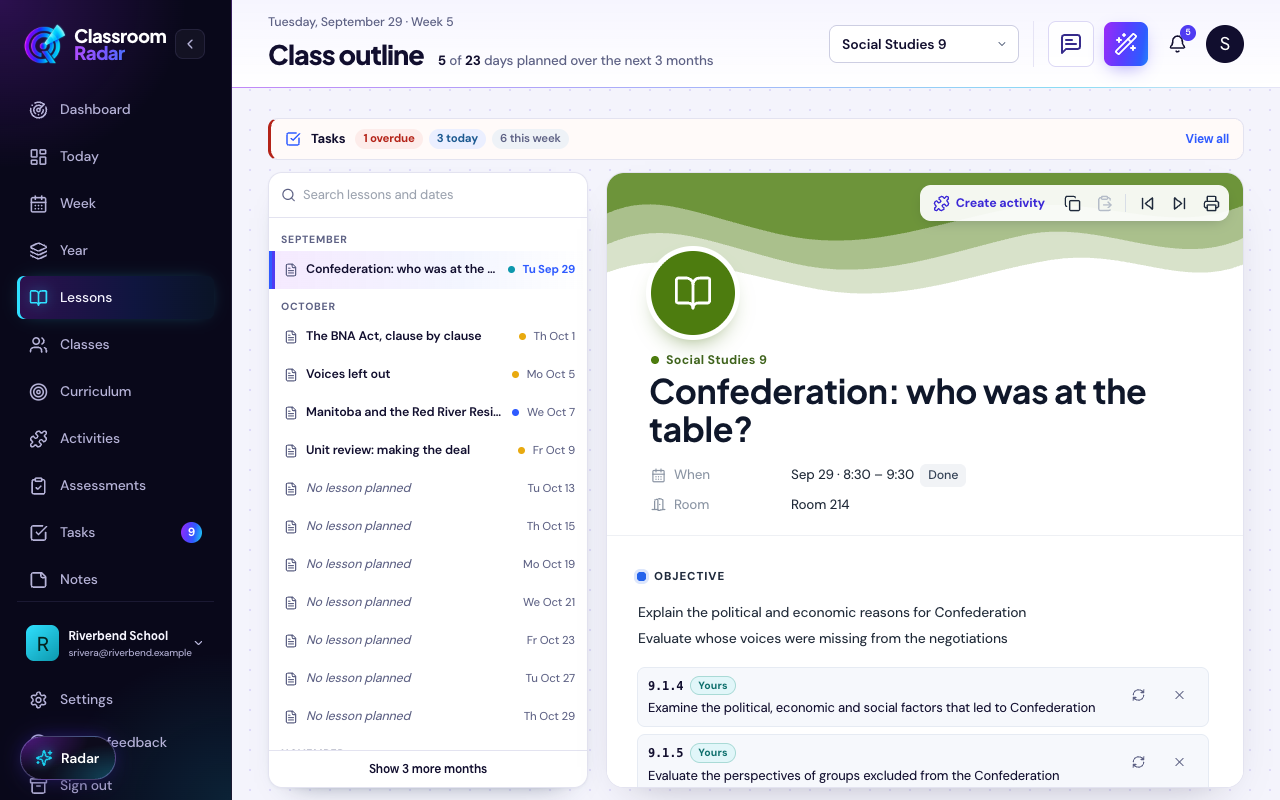
Where Classroom Radar helps: Use the AI overview and standards alignment inside the Lesson Planner for Teachers to lock your objective and success criteria before you differentiate materials.
Step 2: Quickly sort readiness with a 5-minute check
- Use yesterday’s exit tickets or a two- or three-question diagnostic to form flexible groups for today: “needs access support,” “on track,” and “needs extension.”
- AI assist: Paste anonymized student responses and ask for a quick sort into these buckets, with 1–2 suggested supports per bucket.
- Keep grouping fluid; students can move based on today’s progress.
Prompt you can paste:
- “Sort these short responses (anonymized) into three readiness buckets aligned to the goal above. For each bucket, propose two supports that do not change the goal: (1) access/representation, (2) processing, (3) product options. Keep it manageable.”
Where Classroom Radar helps: Generate and store your entry or exit tickets, then convert the summary into groups and to-dos in the same lesson card in the planner.
Step 3: Adapt one lesson into small, targeted options (access, process, product)
Offer 2–3 well-chosen options—not 10. Keep the goal constant and vary how students get there. Edutopia’s frameworks reinforce that differentiating one or two lesson steps is sufficient for impact.
- Access/Representation (UDL: multiple means of representation)
- Option A: Same text; audio + visual glossary
- Option B: Shortened text preserving key ideas; diagram or worked example
- AI assist: “Rewrite this explanation at two reading levels (approx. Grade 5 and Grade 8), preserve meaning and domain vocabulary. Provide a one-paragraph audio-friendly version too.”
- Process (UDL: multiple means of engagement)
- Option A: Partner think-aloud with sentence stems
- Option B: Choice of organizer (timeline, compare/contrast, claim-evidence-reasoning)
- AI assist: “Create 6 dialogue stems that press for reasoning and evidence aligned to the success criteria. Keep stems short and student-friendly.”
- Product (UDL: multiple means of action/expression)
- Option A: Written explanation with a success checklist
- Option B: Visual model or short audio video explanation hitting the same criteria
- AI assist: “Draft a 6-item success checklist aligned to the criteria. Then create a parallel checklist for a 60–90 second audio explanation.”
Where Classroom Radar helps: In the same lesson, use the AI copilot to spin up leveled readings, stems, and checklists. If you need printables or practice sets, open the Activity Builder to generate versions (and answer keys) from your core task in seconds.
Step 4: Plan the flow, timing, and checks for understanding
- Make the options visible at the start of class: a quick slide, board menu, or one-page choice sheet.
- Protect time for short confers during work time; use a small groups rotation if needed.
- Use a concise exit check that maps to each success criterion; store results to inform tomorrow’s groupings.
Prompt you can paste:
- “Turn the plan above into: (a) a one-slide visual menu of today’s options, and (b) a 4-question exit ticket—one question per success criterion. Format both in plain text I can paste into slides.”
Where Classroom Radar helps: Convert your plan into a student-facing menu and printable exit tickets, then keep everything organized in the lesson card in the Lesson Planner so tomorrow’s groups are one click away.
Where teachers save the most time (without losing quality)
- Leveling texts and directions: Rewriting at two or three levels is an ideal AI task—faster, then reviewed by you for accuracy and tone.
- Sentence stems and organizers: AI can quickly produce options tailored to your success criteria so you spend time teaching, not formatting.
- Checks for understanding: Generating 4–6 aligned items and an answer key is minutes of work with AI instead of an hour.
- Packaging: Turning teacher notes into student-facing instructions, one-pagers, and station cards makes the learning pathway clearer without extra typing.
Pro tip: Keep a small, reusable “kit” of your best prompts and checklists for each course. In Classroom Radar, attach the kit to your unit once and reuse it across lessons.
Worked example: From one mini-lesson to three purposeful options
Scenario: Grade 7 science lesson on energy transfer. Objective: “Explain energy transfer in a simple closed system.” Success criteria: (1) Define system and surroundings, (2) Trace energy conversions, (3) Explain conservation in the scenario, (4) Use correct units/labels.
- Mini-lesson (10 minutes): Quick demo with a falling object compressing a spring; model a claim-evidence-reasoning (CER) explanation.
- Options for work time (25 minutes):
- Access Option A: Short text with diagrams; glossary; two guided questions.
- Access Option B: Same text with audio; students annotate while listening.
- Process Option: Partner discussion using 6 AI-drafted CER stems.
- Product Option A: Written CER paragraph using the success checklist.
- Product Option B: 60–90 second audio explanation that hits the same checklist.
- Exit ticket (5 minutes): 4 items—one for each success criterion; students self-assess with the checklist.
Notice what didn’t change: the objective, the success criteria, and the core idea students must explain.
Common mistakes to avoid (and what to do instead)
- Over-creating
- Symptom: Dozens of handouts for one lesson; you’re chasing materials instead of evidence of learning.
- Instead: Cap yourself at 2–3 options across access, process, and product. If you can’t explain each option in under a minute, you have too many.
- Over-scaffolding
- Symptom: Students complete tasks but can’t explain the concept without the scaffold.
- Instead: Use “fading” prompts—start with a model or stem, then remove steps on later practice. Keep the success criteria visible so students internalize the target.
- Losing the core objective
- Symptom: The “extension” becomes a different goal entirely; students can’t tell what matters.
- Instead: Extensions should increase complexity, not change the target. For example, require additional representations, constraints, or critique—not a new topic.
- Confusing levels with labels
- Symptom: Students feel tracked or stigmatized by group names.
- Instead: Use neutral, rotating labels (“Station 1,” icons, or colors). Make it normal to move based on today’s evidence, not identity.
- Prompting without context
- Symptom: AI outputs generic or off-target resources.
- Instead: Include the objective, success criteria, a tiny sample of student work (de-identified), and a short description of your class. Ask for 2–3 options only.
FAQ: Responsible AI use for differentiation
- How do I keep student data safe? Never include names, IDs, or sensitive details in prompts. Use summaries or anonymized snippets.
- How do I align with UDL? Cross-check your plan against CAST’s UDL Guidelines 3.0—do students have multiple ways to access information, make sense of it, and show learning while the goal stays constant?
- Is this approach research-aligned? Recent practitioner guidance emphasizes manageable differentiation—adapting one or two steps and offering structured choices tied to a single goal. See Edutopia’s articles on streamlined and manageable differentiation for concrete classroom examples. For AI-specific strategies grounded in standards and ethical use, see ISTE’s Differentiation With AI.
How this maps to Classroom Radar (and why it stays manageable)
- One goal, one lesson card: Start with your objective and success criteria in the Lesson Planner. The AI copilot helps you write tight criteria and a short plan you can actually teach.
- Small, purposeful options: Generate leveled texts, stems, and checklists directly from the same plan—no copy-paste between tools. Explore what’s possible in the Features overview.
- Printables without grunt work: Use the Activity Builder when you need stations cards, practice sets, or a quick exit ticket (with an answer key).
- Reuse across the unit: Save prompts and best versions to your unit so future lessons take minutes, not hours.
Conclusion: Plan faster with a structured workflow (and protect your time)
Differentiation doesn’t require 30 different lessons. It requires one well-defined goal, a quick read on readiness, and 2–3 targeted options that keep the goal constant. AI can accelerate the tedious parts—leveling text, drafting stems, formatting exit checks—while you stay focused on teaching. That’s the balance teachers have been asking for.
When you’re ready to put this into practice with less friction, try building your next lesson in Classroom Radar: set the goal, spin up targeted supports, and keep everything organized in one place.
- Start here: Lesson Planner for Teachers
- Explore the toolset: Features overview
- Ready to implement schoolwide? See Pricing
Put This Into Practice with Classroom Radar
If you want to turn these ideas into a repeatable planning system, explore Classroom Radar and the connected tools for lesson planning and planning by voice.

