

Teacher Planning Time Is Still the Real Bottleneck: What Schools Can Do About It in 2026
In 2026, teacher planning time still limits instructional quality and well‑being. See the latest data and practical workflow fixes schools can adopt now.

In this article11 sections
Teacher planning time is still the real bottleneck in 2026
If you ask almost any K–12 teacher what consistently squeezes their week, you’ll hear the same answer: planning time. The latest 2026 data confirms that lesson planning, grading, and related prep continue to consume a large share of teachers’ working hours, often outside the regular school day. And when time is scarce, quality and well‑being suffer.
This article distills what the newest research says about teacher planning time and then offers practical, low‑lift changes any school can implement this semester to help teachers plan faster—without lowering the quality bar.
- Who this is for: classroom teachers, instructional coaches, department/grade chairs, APs, and principals
- Primary question: how do we reclaim planning time without compromising good instruction?
Why planning time remains a problem in 2026
Three converging realities keep planning time tight:
1) Non‑teaching work is a big share of the job. Across OECD systems, lower secondary teachers spend only about 42% of their statutory working time on teaching; the rest goes to tasks like planning, marking, collaboration, PD, and admin. In many systems, teachers are also required to work during student holidays, often on preparation or professional development. OECD, Education at a Glance 2026] ([oecd.org)
2) Teachers report there’s not enough time during the workday. In a nationally representative U.S. survey, 84% of teachers said they don’t have enough time during regular hours to handle core tasks such as grading, lesson planning, paperwork, and email; seven in ten said their school is understaffed. Pew Research Center, April 4, 2024] ([pewresearch.org)
3) Preparation demands are edging up, not down. Across OECD systems, lesson planning accounts for roughly 14% of teachers’ working time on average, and compared with 2018, teachers report spending about an additional half hour per week on individual planning and preparation. Novice teachers, in particular, spend more time on planning than experienced peers. OECD, TALIS 2024 results] ([oecd.org)
Taken together, the picture is clear: teacher planning time remains the tightest constraint on instructional quality in 2026, even as access to materials and digital tools has improved.
What current workload data says about lesson planning
Let’s look at the latest numbers and implications:
- Non‑teaching tasks are the majority. On average, only 42% of lower‑secondary working time is statutory teaching; the rest is everything else—planning, assessment, meetings, parent communication, and admin. Practically, this means reclaiming even 30–60 minutes a week for focused planning has outsized benefits. OECD, Education at a Glance 2026] ([oecd.org)
- Planning’s share is material and rising. Lesson planning is about 14% of workload across systems and has increased by ~30 minutes per week since 2018, with newer teachers spending even more time. OECD, TALIS 2024 results] ([oecd.org)
- U.S. teachers feel the squeeze daily. Eighty‑four percent say there isn’t enough time in their regular day for planning and grading—evidence that time pressure is systemic, not just a personal efficiency issue. Pew Research Center] ([pewresearch.org)
- District policies vary widely. In 2026, NCTQ finds weekly planning time policies ranging from 40 minutes to 480 minutes (8 hours) across large districts; the most common allocation is 3.5–4 hours/week, and averages across a fixed set of districts have remained essentially unchanged over the last decade. Many districts still lack clear policies for collaborative planning. NCTQ, Oct 8, 2026] ([nctq.org)
The takeaway: even with strong curricula, teachers need predictable, protected blocks for preparation—and better workflows that convert those blocks into complete, high‑quality lessons quickly.
Common time sinks in weekly planning workflows
After coaching teams in dozens of schools, these are the recurring friction points that eat into a 45–60 minute planning period:
- Chasing standards and alignment: searching for relevant standards, then mapping objectives, success criteria, and checks for understanding
- Reinventing materials: creating new slides, tasks, and handouts when a strong prior lesson exists (somewhere)
- Differentiation from scratch: adapting tasks for multilingual learners, IEP/504 accommodations, and multiple readiness levels
- Formatting and duplication: retyping exit tickets, printing, and file conversion for LMS/Google Classroom
- Siloed collaboration: re‑planning the same unit because resources are trapped in a colleague’s drive or email thread
- Context switching: jumping among 10+ tabs and documents to stitch a single lesson together
- Unplanned interruptions: coverage, last‑minute meetings, copier breakdowns—each one can erase a day’s planning block
None of these are about teacher skill. They’re the byproducts of scattered resources and ad‑hoc processes.
Practical ways to reduce planning friction—without cutting quality
These ideas are intentionally concrete. Most require no new budget, just coordination.
1) Batch the work you do most
- Reserve one uninterrupted block each week (60–90 minutes) strictly for writing lesson frames (objectives, success criteria, task sequence, assessment). Protect it like instructional time.
- In shorter daily planning blocks, do only “assembly and polish”: pull in tasks, print, schedule posts.
Why it helps: grouping deep‑thinking tasks reduces context switching and lowers the mental load of starting from a blank page.
2) Standardize a lesson “frame” and checklist
- Agree as a team on a single lesson skeleton: objective, activation of prior knowledge, modeling/guided practice, independent practice, formative check, closure, differentiation notes, materials.
- Build a one‑page checklist aligned to that frame. Keep it in your planner view so you’re never re‑deciding the structure.
3) Create a reusable baseline lesson library
- After each unit, nominate 1–2 “keeper” lessons per standard that met your quality bar. Save with consistent names and tags (e.g., 6.RP.A.1RatiosConceptual).
- Add quick meta‑notes: “Worked well with stations,” “Needed more time for modeling,” “Great for multilingual learners because visuals scaffolded vocabulary.”
4) Make collaboration actionable
- Convert PLCs into build sessions. Rotate who brings a draft; others add differentiations, checks for understanding, and extension tasks in real time.
- Establish a single shared folder structure by course/standard so materials are findable later.
Policy note: Many large districts still don’t guarantee collaborative planning time across grades or schools, even though it’s linked to morale and better outcomes. Codifying a weekly, protected team block (even 60 minutes) helps. NCTQ] ([nctq.org)
5) Automate the “paperwork” layer
- Use mail‑merge or LMS templates for parent updates and weekly agendas.
- Set printing presets (duplex, page range, class sets) and keep frequently used masters at the copier.
6) Time‑box differentiation
- Limit customizations to a small set of high‑impact moves (e.g., sentence frames, visual supports, varied problem sets) rather than rebuilding tasks.
- Keep a bank of ready‑to‑drop accommodations tagged by need (executive function, language support, reading load).
7) Protect the block
- School leaders: treat planning blocks as instructional time. Avoid assigning non‑instructional coverage during these slots whenever possible; communicate a clear escalation path if interruptions are unavoidable.
Where modern planning tools help: capture, organize, and reuse faster
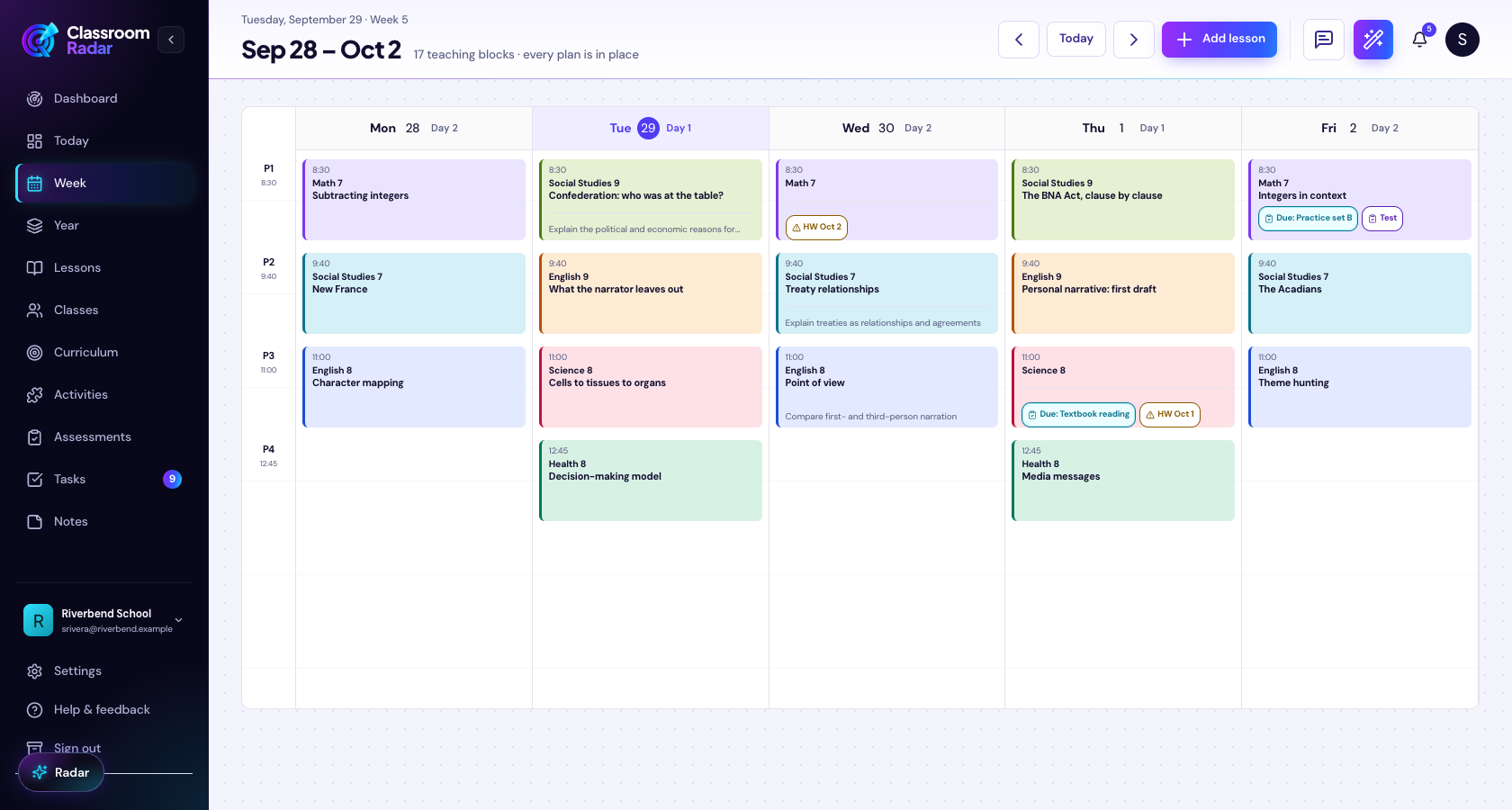
Technology doesn’t replace teacher judgment—but the right workflow can give back hours each week. Here are specific places a tool like Classroom Radar supports the practices above while keeping quality intact.
Capture and plan faster
- Voice capture on the go: Dictate objectives, task ideas, and exit tickets from your commute or hallway walk; have them transcribed directly into your planner. See Voice Planning. Classroom Radar: Voice Planning
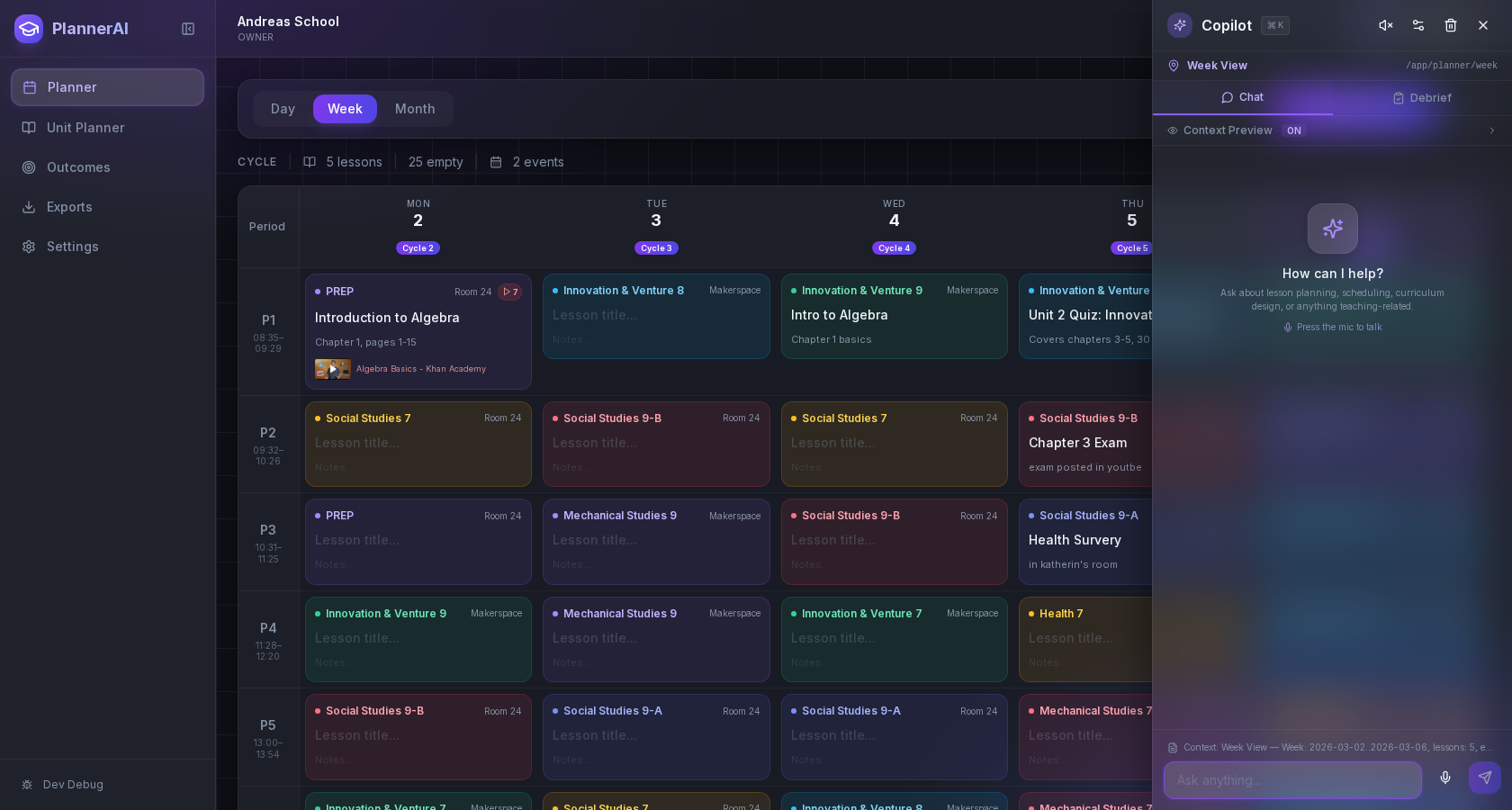
- Start from proven frames: Build lessons in a consistent structure (objective → modeling → practice → check → closure) so you never start from a blank page. Explore the lesson‑planning workspace. Lesson planner for teachers
Reuse what works, without hunting
- One searchable library: Save “keeper” lessons with standards tags and meta‑notes so your best work resurfaces next term. The lesson drawer makes prior materials one click away. Features overview
- Drag‑and‑drop your week: Visualize the entire week in one place, then drag lessons between days or classes as needs change. A visible plan reduces context switching and protects your deep‑work block.
Reduce the paperwork layer
- Quick print packs: Generate ready‑to‑print handouts or practice sets in the same flow you use to plan, so printing is the last click, not another scavenger hunt.
- Consistent differentiation: Add scaffolded versions and accommodations right alongside the main task so you’re not rebuilding materials from scratch.
Keep collaboration simple (and actually useful)
- Shared frames by course/grade: Use the same lesson skeleton school‑wide so collaboration produces plug‑ready lessons, not just ideas.
- Comment where work happens: Keep feedback in the planner, not scattered across email threads.
Implementation playbook for school leaders and coaches
Use these steps to translate the research into reclaimed minutes in November and December 2026.
1) Run a 2‑week time audit with volunteers
- Ask teachers to log planning minutes, interruptions, and what got built. The goal is to identify specific blockers (e.g., hunting materials, copier queues), not to police time.
2) Protect one “maker” block per team
- Build a 60–90 minute weekly slot into the master schedule for lesson building, separate from PLC data review. Consider early‑release days to guarantee it. Many districts lack clear collaborative planning policy; codifying this locally pays dividends. NCTQ] ([nctq.org)
3) Standardize the lesson frame and file structure
- Adopt a common planner template and a single shared drive structure (Course → Unit → Standard → Lesson). Train everyone on naming conventions.
4) Establish a keeper‑lesson library by winter break
- Each course team nominates 3–5 baseline lessons per upcoming unit with tags and quick meta‑notes. This becomes your reuse engine in spring.
5) Choose one workflow tool and train to mastery
- Fragmented tools add friction. Select a single planning hub so capture, organization, collaboration, and printing live together. If you want a purpose‑built option, explore Classroom Radar’s planning workspace and voice capture. Classroom Radar homepage
6) Measure reclaimed time and quality
- In January, repeat the audit. Look for: more lessons completed per week, fewer last‑minute rebuilds, and increased teacher‑reported control over planning time.
What the research means for 2026 budgets and schedules
- Budget small, schedule big. The highest ROI often comes from scheduling decisions (protected maker blocks, early‑release collaboration) rather than new content purchases.
- Policy clarity matters. When planning time isn’t protected, prep migrates to nights and weekends. Clear school‑level norms reduce that spillover.
- Prioritize novice support. Since newer teachers spend more time planning, mentoring and shared lesson libraries are especially valuable this year. OECD, TALIS 2024] ([oecd.org)
- Don’t ignore holidays. In many systems, required non‑teaching work occurs during school breaks—often focused on preparation. Planning PD and curriculum build time during these windows can reduce mid‑semester crunch. OECD, Education at a Glance 2026] ([oecd.org)
Bottom line
Teacher planning time is still the bottleneck in 2026—not because teachers aren’t efficient, but because the job demands sustained prep and collaboration that the typical week doesn’t fully protect. The latest research shows planning consumes a meaningful share of workload, and teachers widely feel they lack enough in‑day time to do it well. The fix is equal parts schedule design and workflow.
If your school can standardize frames, protect a weekly maker block, build a keeper‑lesson library, and adopt a single planning hub, you can give teachers back hours each week without sacrificing instructional quality.
Ready to reclaim planning time?
- See how a dedicated planning workspace helps you start faster and reuse more: Lesson planner for teachers
- Capture ideas between bells with voice: Voice Planning
- Compare feature sets and school pricing options: Features overview and Pricing
- Or start at the Classroom Radar homepage and share with your team today.
—
References cited: OECD, Education at a Glance 2026], [OECD, Results from TALIS 2024], [Pew Research Center, 2024], [NCTQ, 2026]. ([oecd.org)
Put This Into Practice with Classroom Radar
If you want to turn these ideas into a repeatable planning system, explore Classroom Radar and the connected tools for lesson planning and planning by voice.

